Games
Games without gamepad support
Even if a game only understands keyboard and mouse, Rulik still works.
How it works
Strategy games, older games and many indies don't see gamepads at all. For those you need a layout where phone buttons press keyboard keys and move the mouse. The game thinks you're on a keyboard, and there's no need to pick a gamepad in its settings.
A regular gamepad can't do this on its own: it needs separate tools like reWASD or JoyToKey.
Making a layout
- Check the game's settings to see which keys do what.
- In the app, open Layouts and create a new one, or start from "Shooter: WASD + mouse".
- Add a stick and set it to "WASD" or "Arrows" in its properties: that's movement.
- Add a touchpad in "Mouse" mode: that's the camera or the cursor.
- Add buttons and give each one a game key on the Keyboard or Mouse tab: space, Shift, E, numbers, clicks. You can also set a combo of up to 4 keys.
- Save, press ▶ and launch the game.
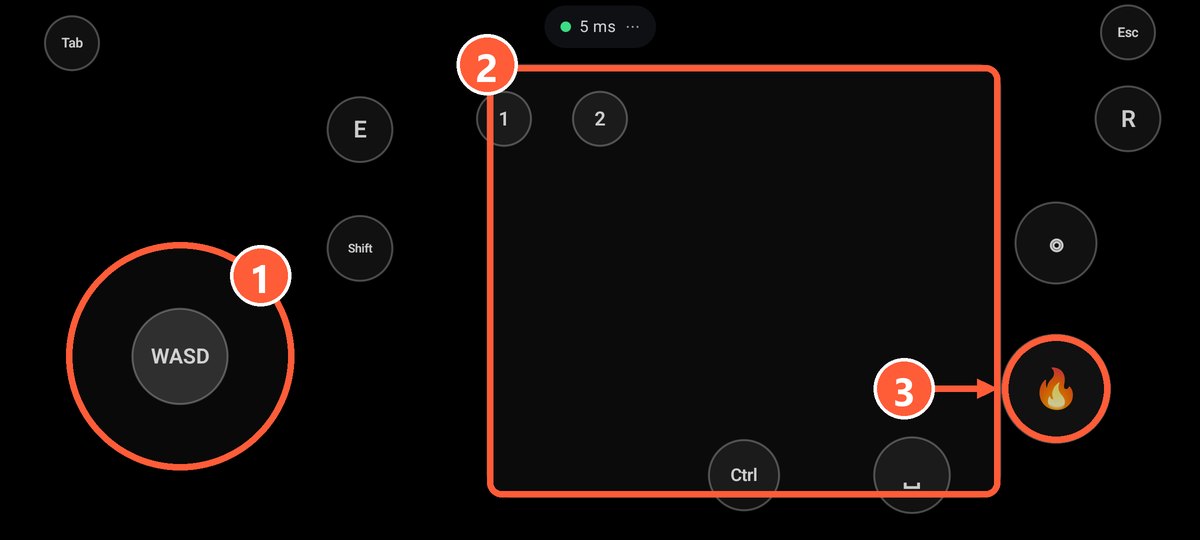
- 1Stick in WASD mode: walking
- 2Touchpad in mouse mode: camera
- 3A button with a left click: shooting
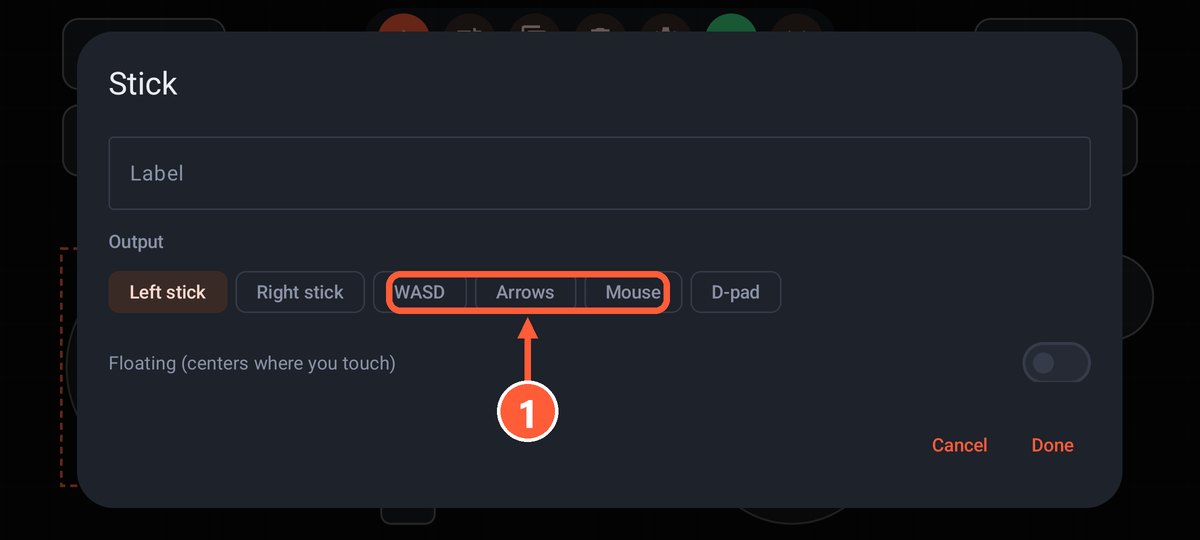
- 1Pick WASD or Arrows
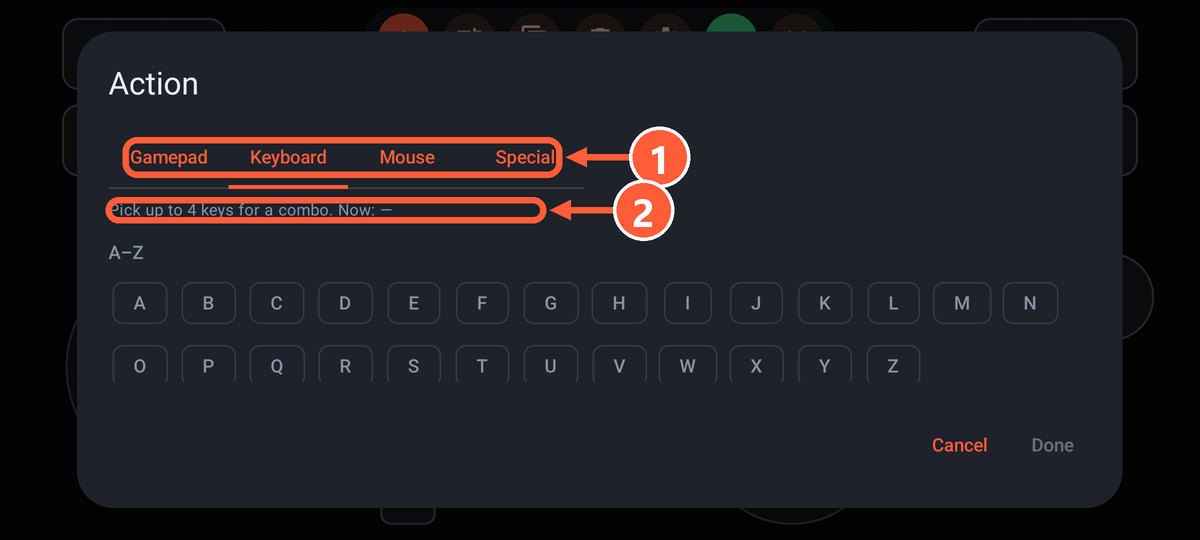
- 1The Keyboard or Mouse tab
- 2Up to 4 keys in one combo
Ready-made layouts for specific games are on the Layouts page, Minecraft for example.
Mixing is fine
One layout can have both gamepad buttons and keys. For example, in a game with gamepad support you can put F5 for quicksave or Esc on a separate button.
With a regular gamepad
If you have a real gamepad and the game doesn't support it, you can map its buttons to keys:
- Steam Input: in the game's controller settings, bind keys and the mouse to buttons and sticks.
- Outside Steam: AntiMicroX (free and open source), JoyToKey or reWASD (paid).
More about real gamepads in How gamepads work.