The app
Touch accuracy
Glass has no buttons you can feel. Rulik helps you hit them in three ways.
All three settings are in the app on the Settings tab, under "Touch accuracy". They're all on by default, and each can be turned off on its own.
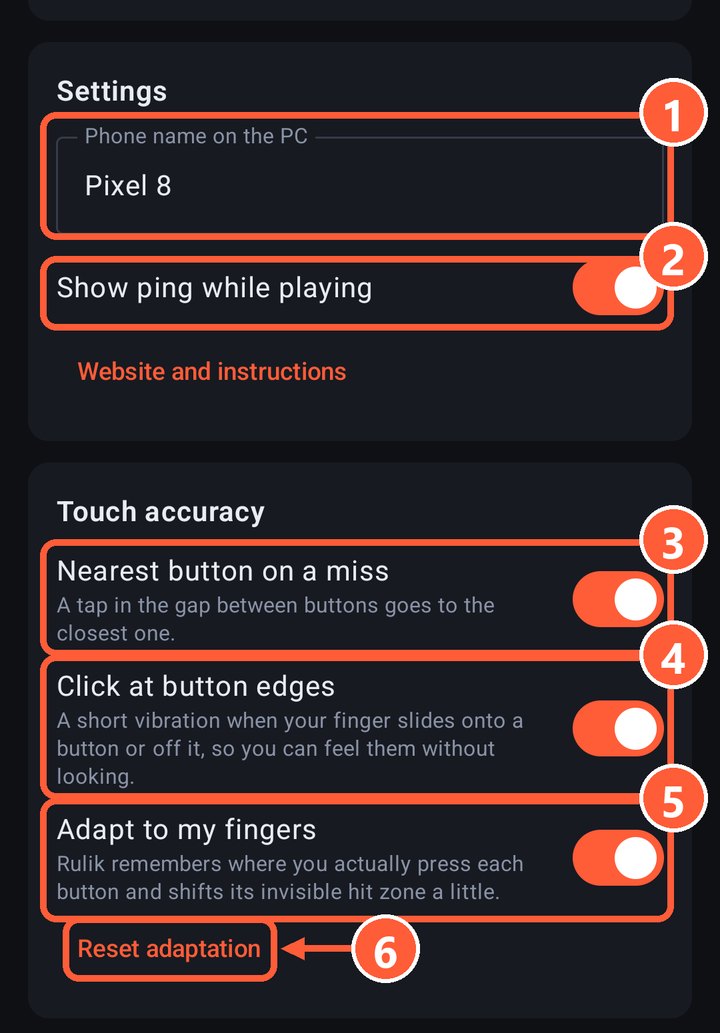
- 3Nearest button on a miss
- 4Click at button edges
- 5Adapt to my fingers
- 6Reset adaptation
Nearest button on a miss
A tap in the gap between buttons goes to the closest button or D-pad, as long as it's within about half a finger. If there's nothing nearby, nothing is pressed.
A tap on the button itself always stays that button's press: this only kicks in on misses. Sticks and touchpads don't attract misses, so the camera won't jerk by accident.
Click at button edges
A short vibration when your finger slides off a button or onto the next one, so you can find buttons by feel without looking at the screen. It works even if "Vibrate on press" is off in the layout.
Adapt to my fingers
A thumb almost never lands in the center of a button: usually a bit lower and closer to the palm. Rulik remembers where you actually press each button and, after the first 8 presses, shifts its invisible hit zone slightly that way.
- The shift is small, at most 40% of the button's size.
- A drawn neighbouring button always wins over a shifted zone.
- Each layout has its own adaptation.
Changed your grip or handed the phone to someone else? Tap "Reset adaptation" and Rulik starts learning from scratch.
Still missing?
Make the button bigger or move it in the editor. It works best when the buttons under your thumbs are large and the rarely used ones are small and further away.