Getting started
USB via adb
For those with USB debugging on. The lowest latency.
What you need
- USB debugging turned on in the phone's Developer options. If there's no such section, open About phone and tap the build number several times (the exact item name varies between phones).
adb.exeon the PC: install platform-tools or putadb.exenext to the server.
How to connect
- Connect the phone to the PC with a cable and allow debugging when the phone asks.
- Press "USB (adb)" in the Rulik Server window.
- In the app, switch to USB and tap "Connect via USB".
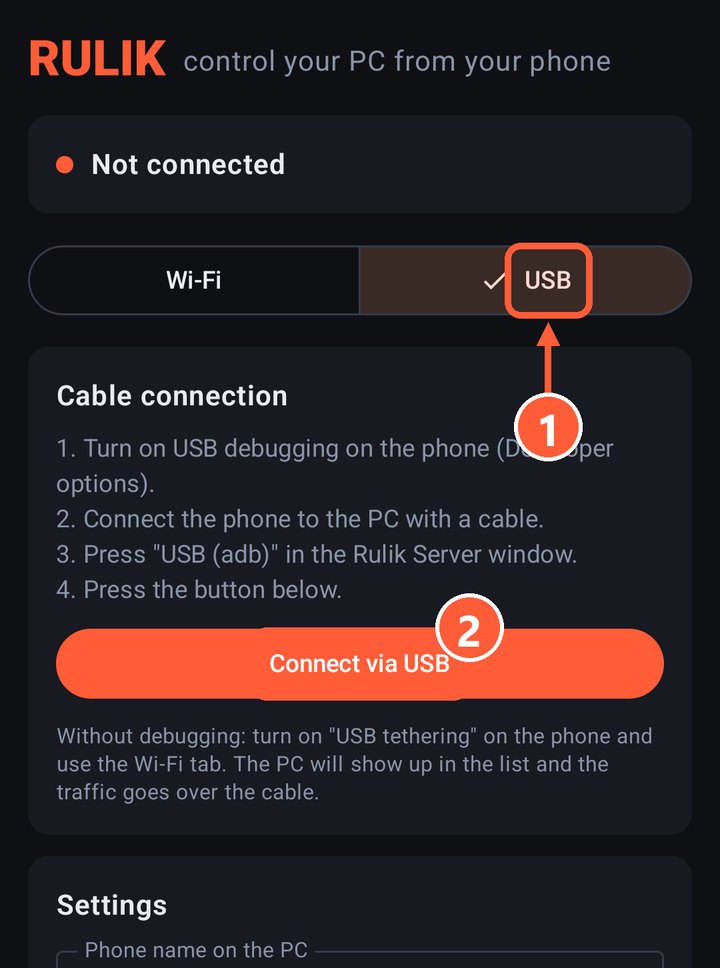
- 1The USB tab
- 2Connect via USB
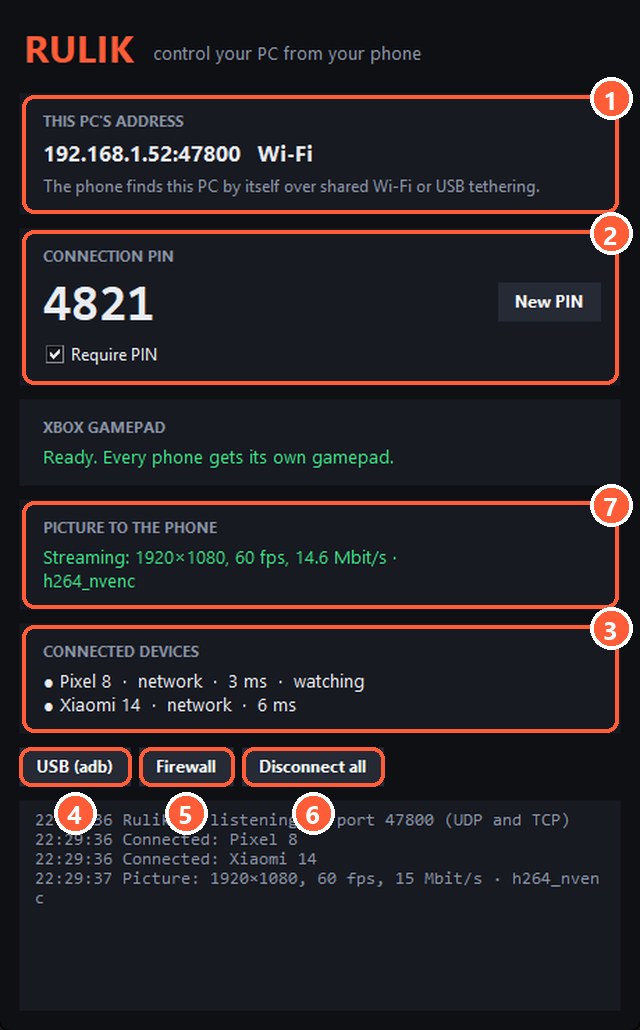
- 4"USB (adb)" forwards the port over the cable
Press "USB (adb)" again after reconnecting the cable.
Don't want to turn on debugging? Use USB tethering.