The app
Layouts in the app
A layout decides which controls are on screen and what they do. The app comes with six.
Built-in layouts
| Layout | What it's for |
|---|---|
| Xbox gamepad | A full gamepad: two sticks, D-pad, ABXY, triggers, bumpers |
| Gamepad + gyro aim | The same, plus aiming by turning the phone |
| Mouse & keyboard | A touchpad, keys and typing for using the PC |
| Shooter: WASD + mouse | For keyboard-and-mouse games: walk with a stick, look with the touchpad |
| Racing: tilt steering | Steer by tilting the phone, gas and brake on the triggers |
| Media remote | A portrait remote for movies: touchpad, volume, pause, tracks, seeking |
Deleted or broke a built-in one? The layouts list has "Restore built-in layouts".
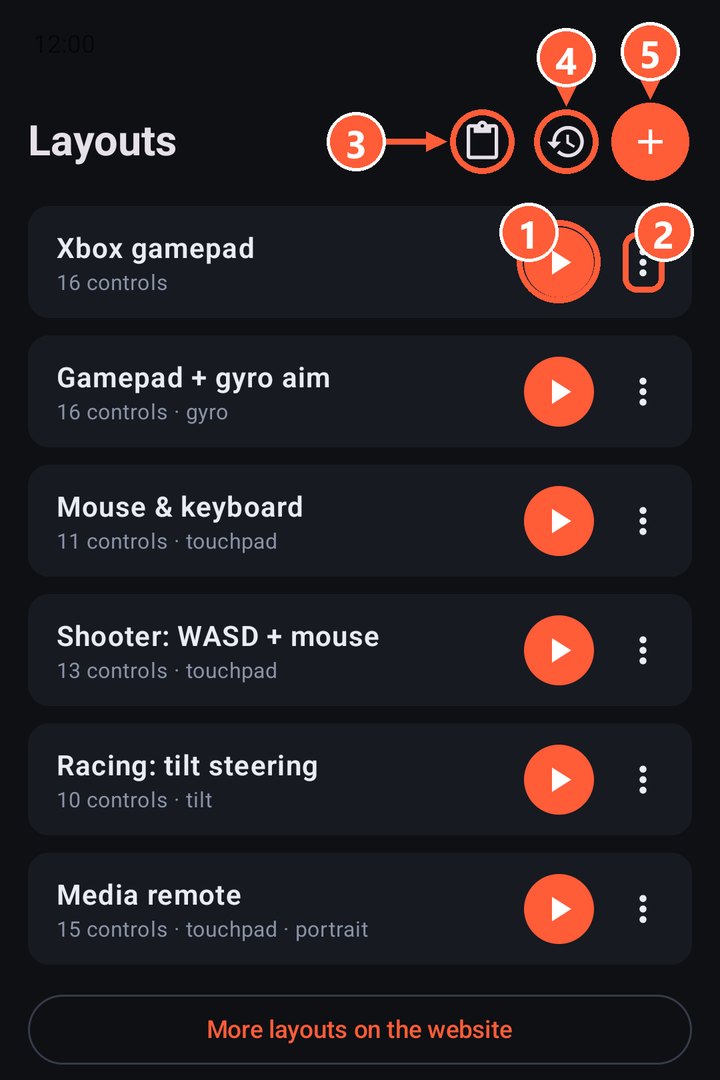
- 1Start a layout
- 2Layout menu
- 3Import a layout from the clipboard
- 4Restore built-in layouts
- 5New empty layout
What you can do with a layout
Tap ⋮ next to a layout:
- Edit: opens the editor.
- Duplicate: makes a copy so you can change it without touching the original.
- Share: sends the layout as text to any messenger.
- Copy as text: puts the layout on the clipboard.
- Delete.
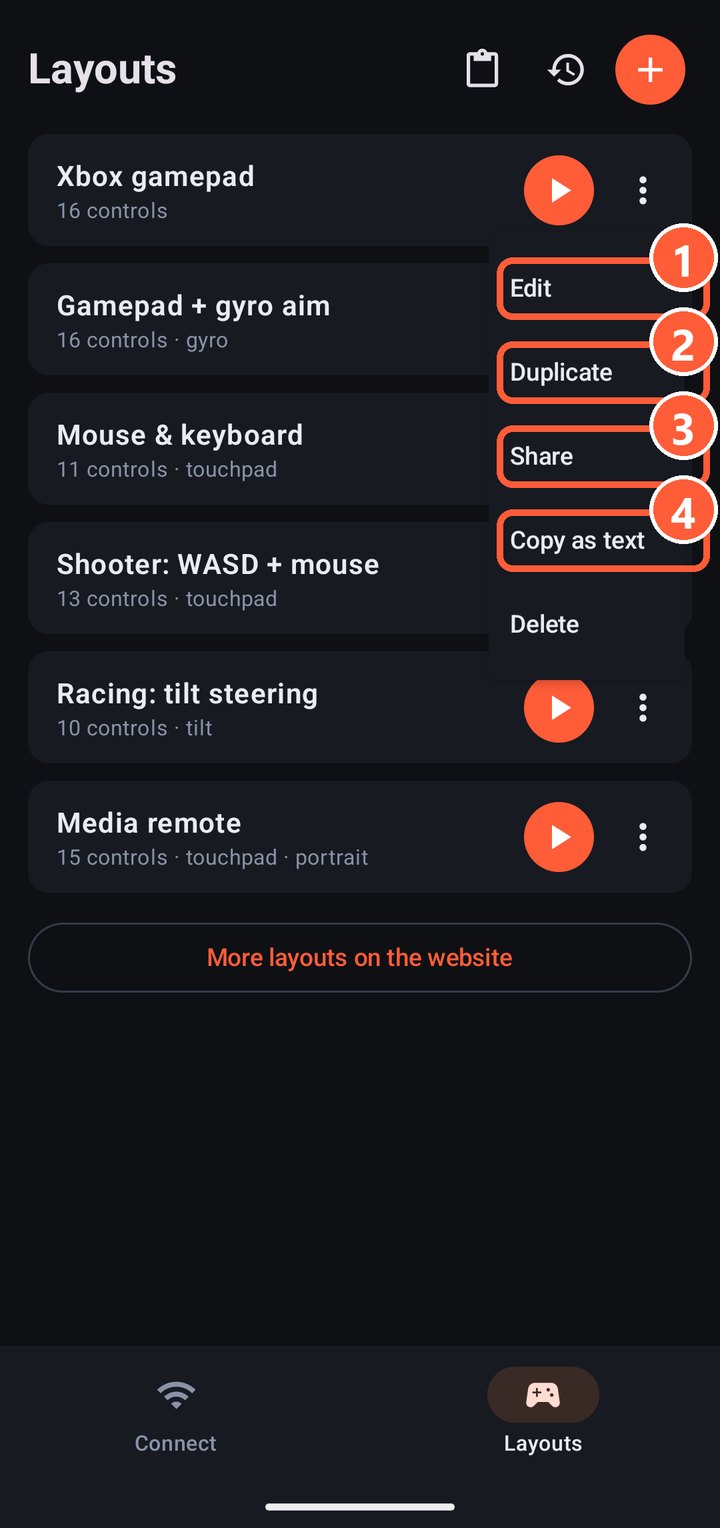
- 1Edit
- 2Duplicate
- 3Share
- 4Copy as text
Import
Copy a layout's text (from a friend or from the Layouts page) and tap "Import from clipboard" in the layouts list.
Made a good layout? Post it in a GitHub issue and it may make it into the catalog on the website.