Games
Gamepad in games
To a game, a phone running Rulik is no different from a wired Xbox 360 gamepad.
How it works
Through the ViGEmBus driver, Rulik Server creates a virtual Xbox 360 gamepad in Windows. To the system it's as if you plugged a real gamepad into USB. That's why it doesn't matter where the game came from: Steam, Epic, GOG, the Xbox app, a disc or anywhere else. There's nothing else to install or set up in Windows.
How to play
- Connect your phone and start a layout with gamepad buttons, such as "Xbox gamepad", before launching the game. Some games only look for a gamepad at startup.
- In the game's control settings, pick gamepad or controller. Many games switch on their own as soon as you move a stick.
- On-screen prompts will change to Xbox buttons: A, B, X, Y. That means it works.
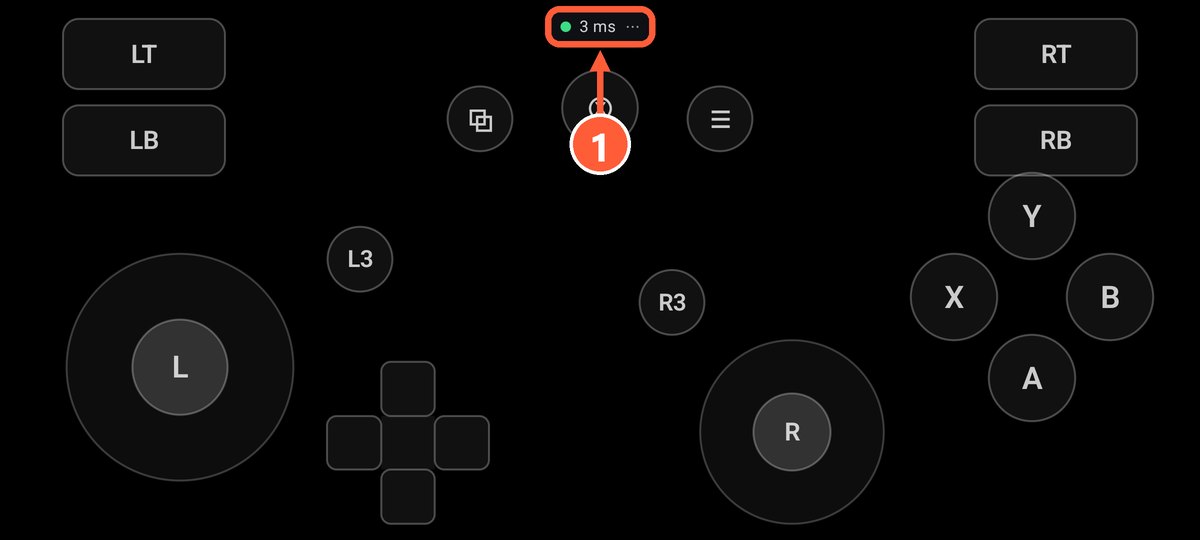
- 1Green dot and ping: the PC is connected
Buttons in an awkward spot, or one missing? Change the layout in the editor: you can move everything around on the phone without touching the game's own bindings.
Testing without a game
Press Win+R and type joy.cpl. You should see "Controller (XBOX 360 For Windows)", and under Properties you can watch the buttons and sticks react.
No gamepad in the list? The ViGEmBus driver isn't installed: press "Install driver" in the server window and restart the server. Mouse and keyboard work without the driver.
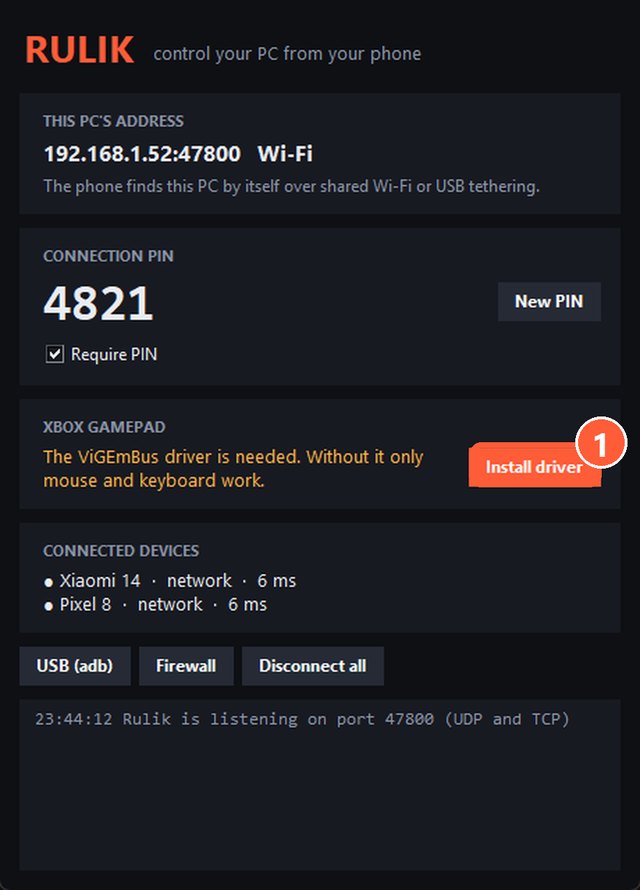
- 1Install driver
If the game doesn't see the gamepad
- Restart the game with the phone already connected.
- Check that the game supports gamepads at all. If not, read Games without gamepad support.
- If the game runs through Steam and the gamepad acts strange, try turning off Steam Input for that game: Properties → Controller.