The app
Several phones
Every connected phone gets its own gamepad, up to 8 devices per PC.
Playing together
- Connect both phones to the same Rulik Server as usual.
- Each player starts their own layout.
- In the game, each phone is a separate Xbox gamepad: player 1, player 2 and so on.
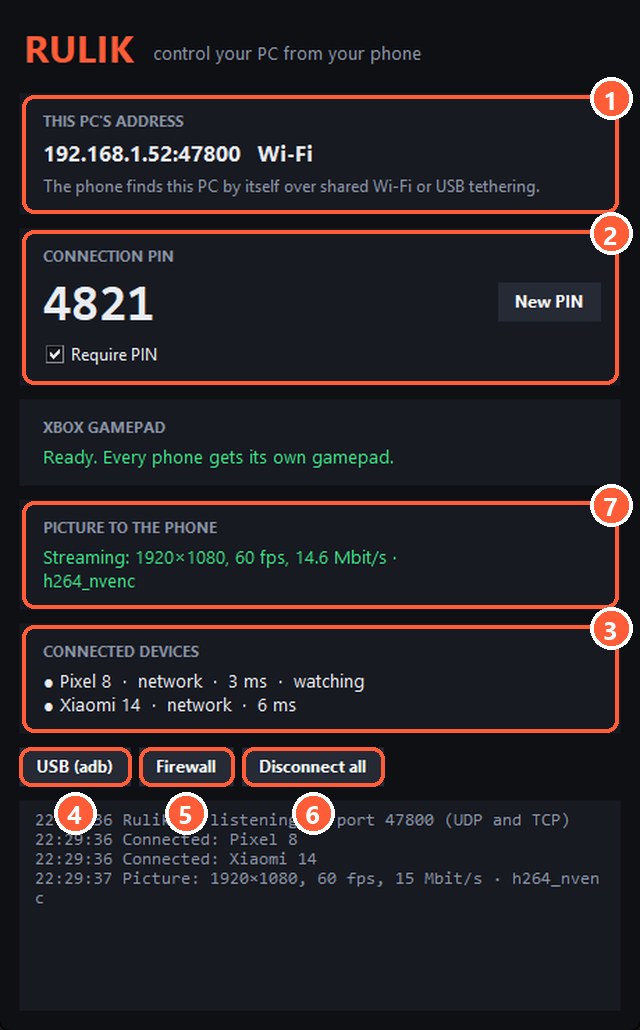
- 3Every connected phone with its latency
Great for split-screen and local co-op games. You can also mix: one player on a real gamepad, another on a phone.
Phone name
To tell phones apart in the server window, set "Phone name on the PC" in the app's settings.
If it won't connect
"Too many devices on this PC" means all 8 slots are taken. Disconnect the extra phones or press "Disconnect all" in the server window.